Function overloading in TypeScript
1. Problem
In JS, when the implementation of a function depends on parameters, we often have to introduce the optional parameters as here. For example, we need to implement a function to add numbers and strings.
1
2
3
4
5
6
7
8
9
10
11
12
13
14
15
function combine(input1, input2, input3 = "") // input3 is optional {
  if (typeof input1 === "number" && typeof input2 === "number") {
    return input1 + input2; // Add numbers
  } else if (typeof input1 === "string" && typeof input2 === "string") {
    return input1 + input2 + input3; // Concatenate strings
  } else {
    throw new Error("Both arguments must be either numbers or strings.");
  }
}

// Using the function
combine(10, 20); // Returns 30
combine("Hello, ", "World!"); // Returns "Hello, World!"
combine("Hello", "World", "!"); // Returns "HelloWorld!"
// console.log(combine("Hello", 10)); // Throws an error
As you can see, it’s not user-friendly, and it’s not intuitive.
2. Solution in TS
Similar to C#, TypeScript has the ability to overload methods and constructors.
But in TS we have one implementation and many signatures. If we pass parameters that do not match the signature, an error will occur.
You can think of it like a pizza chef who receives different parameters: 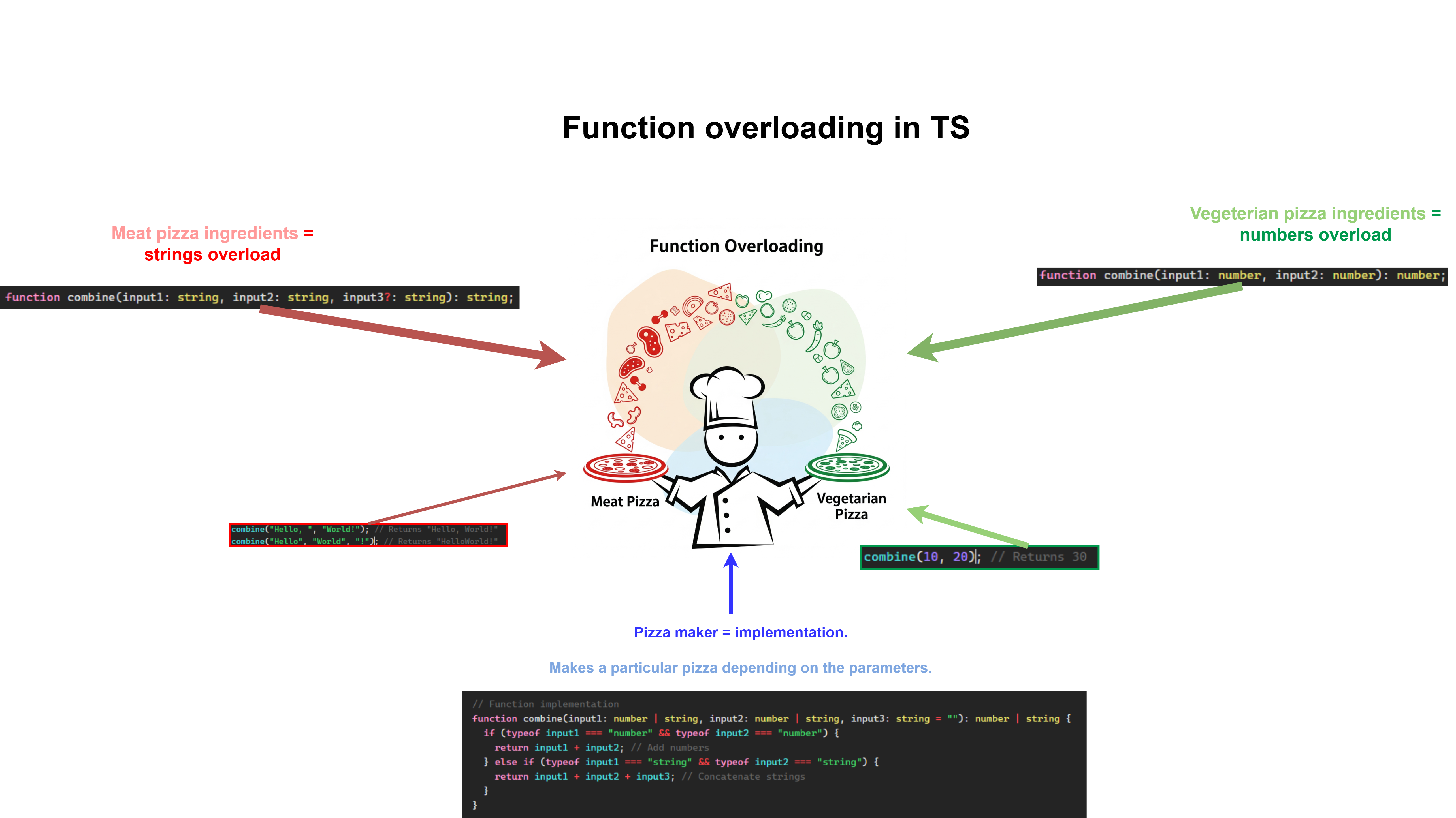
It’s important that you need add return type of functions MANDATORY. Because TS cannot define return type of function or function overload automatically.
Below is the rewritten code with the typescript and function overloading:
1
2
3
4
5
6
7
8
9
10
11
12
13
14
15
16
17
18
// Function overloads
function combine(input1: number, input2: number): number;
function combine(input1: string, input2: string, input3?: string): string;

// Function implementation
function combine(input1: number | string, input2: number | string, input3: string = ""): number | string {
  if (typeof input1 === "number" && typeof input2 === "number") {
    return input1 + input2; // Add numbers
  } else if (typeof input1 === "string" && typeof input2 === "string") {
    return input1 + input2 + input3; // Concatenate strings
  }
}

// Using the function
console.log(combine(10, 20)); // Returns 30
console.log(combine("Hello, ", "World!")); // Returns "Hello, World!"
console.log(combine("Hello", "World", "!")); // Returns "HelloWorld!"
// console.log(combine("Hello", 10)); // Throws an error
When calling functions, we see that the intellisense shows us that there are two overloads and we can choose one of them:

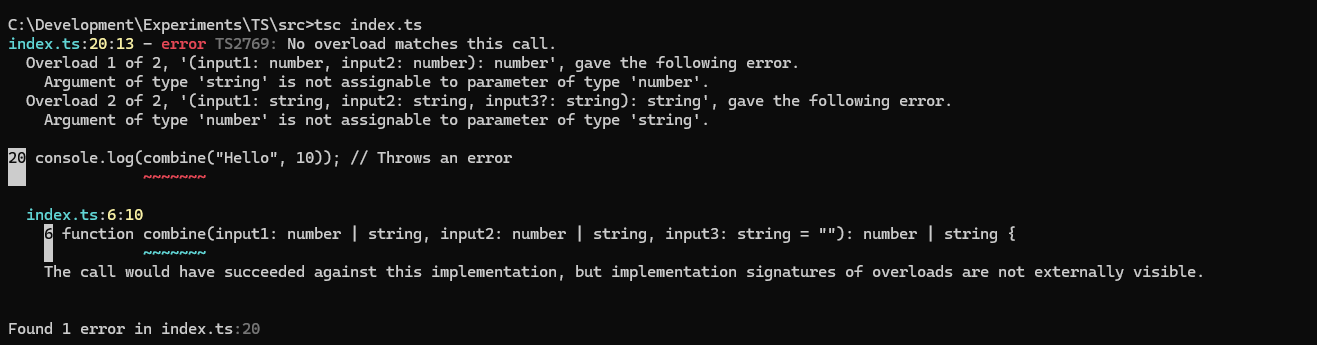
In case you try to pass the parameters of which are not in the signature, you will get an error.
3. Conclusion
This way is suitable when you need a feature to support two versions. At the moment when a new implementation is applied, but the old one is not yet deleted.